Knowledge
Knowledge is like a memory bank that makes your interactions even more powerful and context aware.
Overview
- Knowledge is a section where you can store structured information that the system can refer to during your interactions.
- It’s like a memory system that allows NaviGator AI Chat to pull from saved data, making responses more personalized and contextually aware.
- You can use Knowledge directly in your chats to access the stored data whenever you need it.
Creating Knowledge
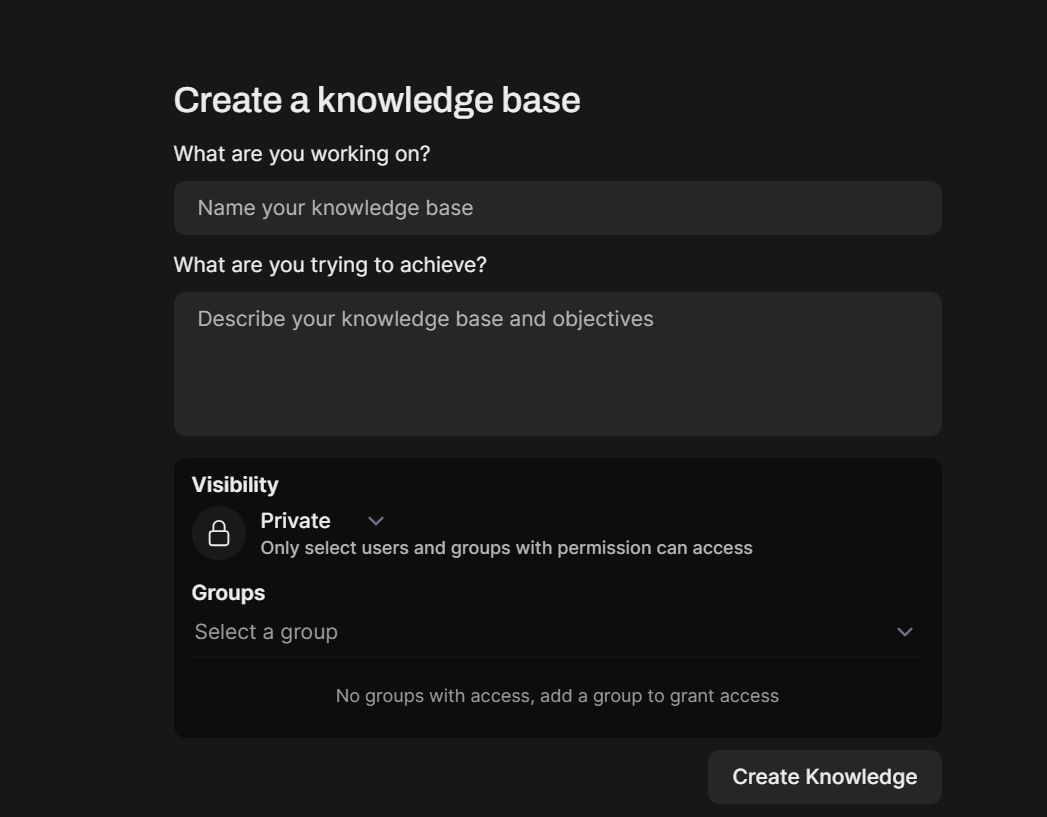
Navigate to Workspace > Knowledge and click on the top right hand '+ New Knowledge' button. This will display the following UI to fill in:
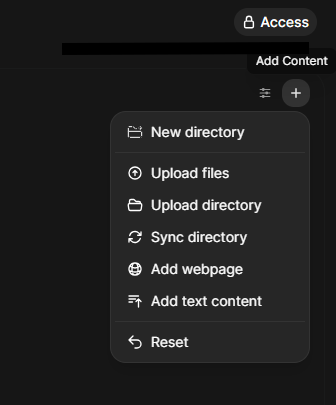
Then click on the '+' icon next to 'Search Collection' to Add Content:
Organizing into directories
Knowledge bases support nested directories so larger document sets stay navigable.
- + New Directory lives next to file upload in the Add Content menu. Name uniqueness is enforced per parent — two siblings can't share a name, but you can reuse names in different parents.
- Click a directory to descend into it; the breadcrumb trail at the top of the view always reflects the current path and lets you jump back to any ancestor in one click.
- Directories can be renamed or moved to a different parent without affecting the files inside them.
Syncing a local directory
The Add Content → Sync Directory action mirrors a local folder into the knowledge base incrementally: the client hashes each local file (SHA-256), the server compares hashes and paths against what is already stored, and only new, modified, and deleted files are touched. Unmodified files (the typical majority) are left alone — no re-upload, no re-embedding.
How to use Knowledge
-
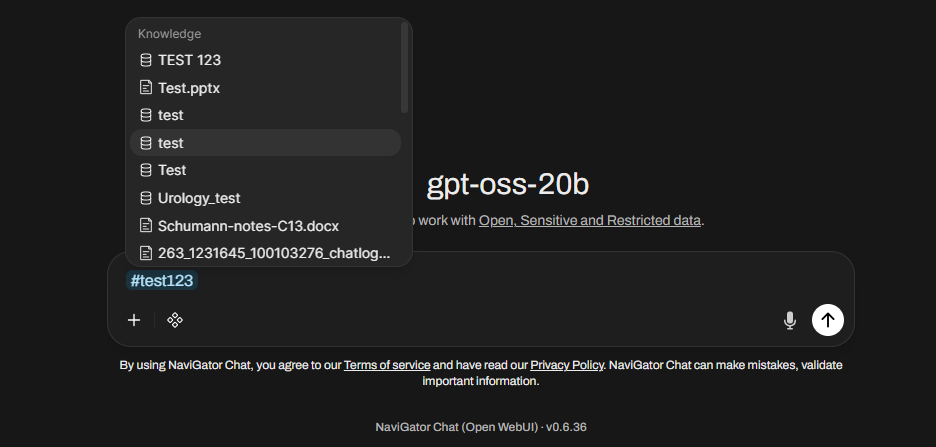
You can directly reference Knowledge in chats to bring in stored data whenever you need it using '#' + name of the knowledge:
-
You can also attach a knowledge base to a custom model in Workspace > Models > Edit:
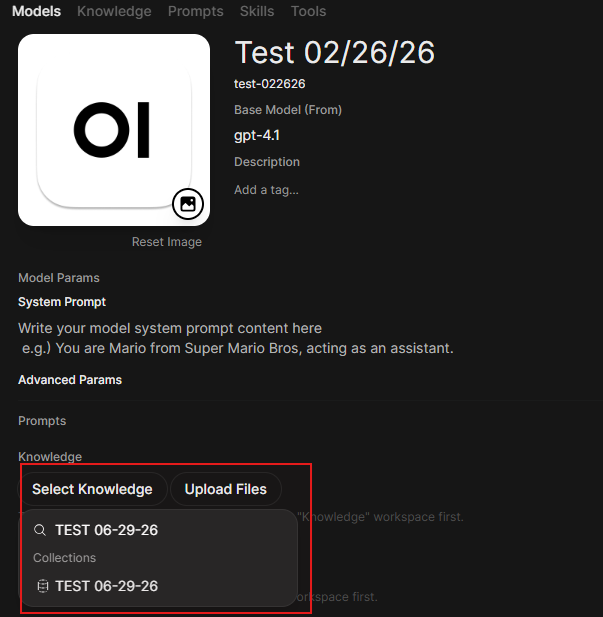
Click on the newly added knowledge base within Workspace > Models > Edit to toggle Focused Retrieval or Entire Document Retrieval:

Focused Retrieval: Uses Retrieval Augmented Generation (RAG) to find and inject the most relevant chunks based on the user's query. Best for large document sets where only specific sections are relevant.
Entire Document Retrieval or Full Context: Injects the complete content of the file into every message. No chunking, no semantic search. Best for short reference documents, style guides, or context that's always relevant.
Sharing
Knowledge bases cannot be shared to other users or groups at this time.
References